How to change computers
The Aufisoft license is active on one main computer at a time. To move to a new computer, the way depends on what happened to the old one. The screens are in Portuguese; each label comes with its translation.
1. The old computer still works
This way has no cost and no limit.
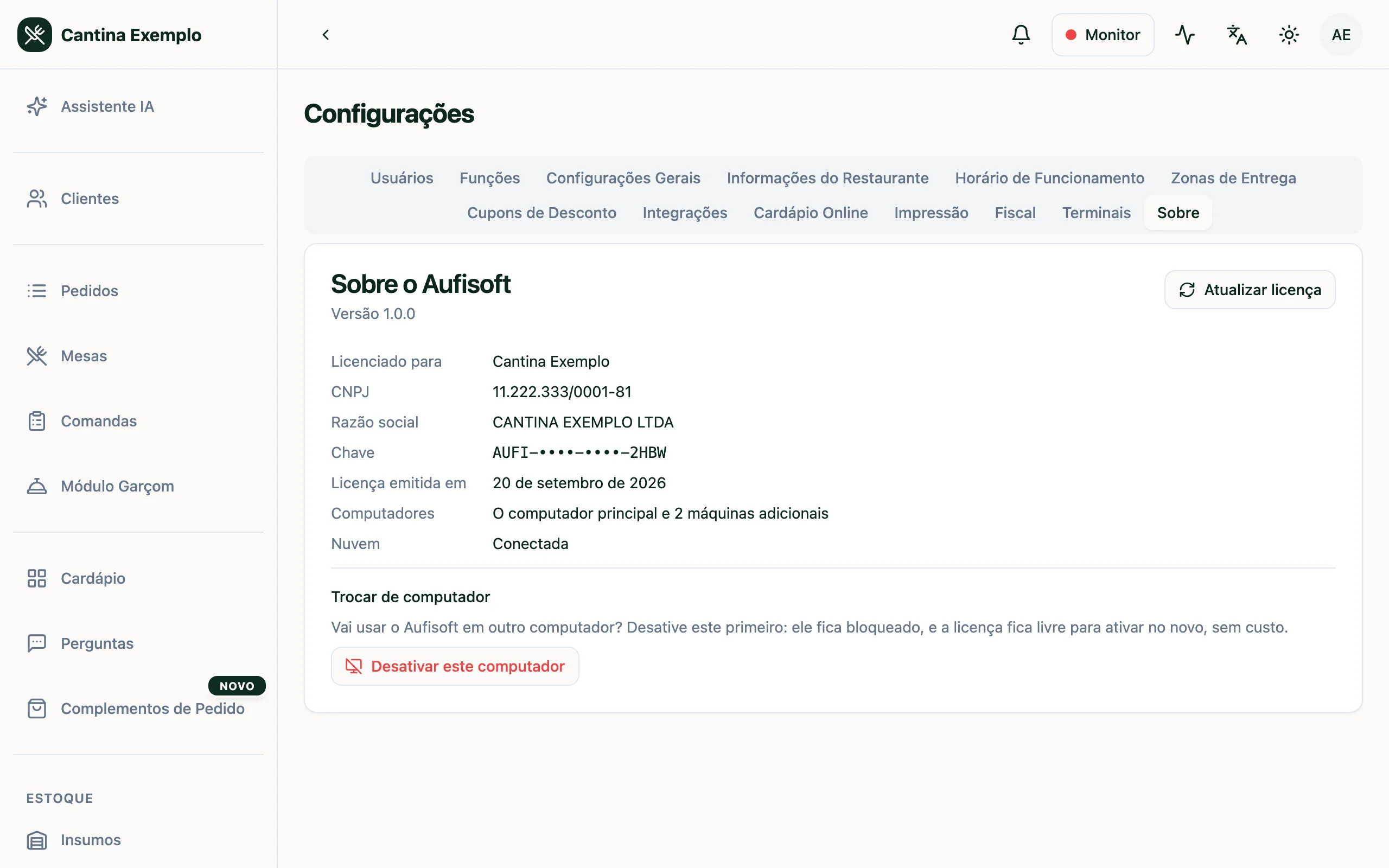
- On the old computer, open Aufisoft and go to Configurações → Sobre (Settings → About).
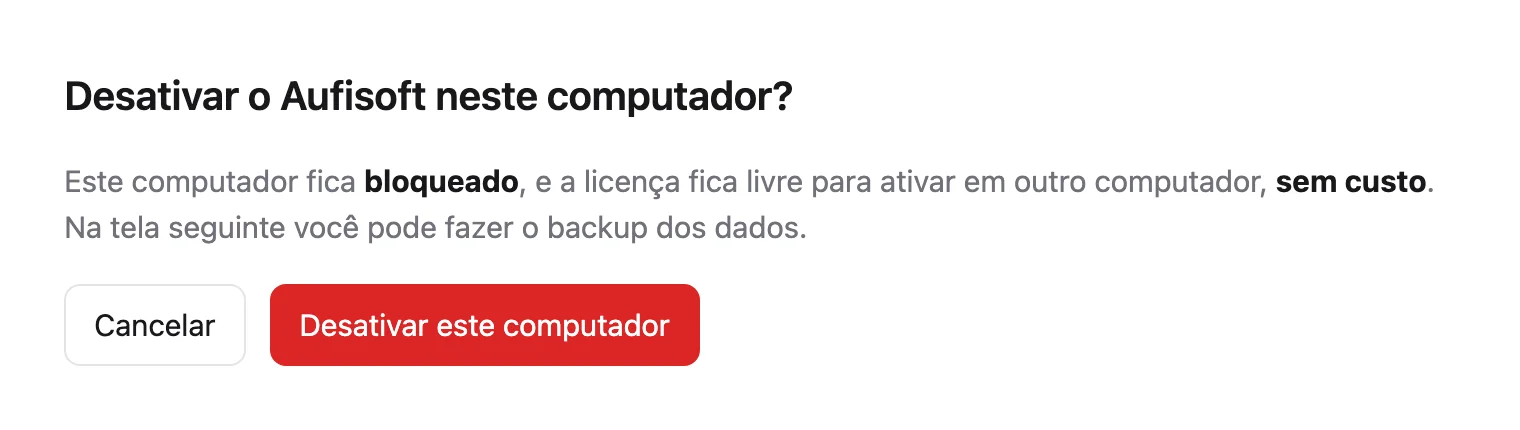
- Click “Desativar este computador” (Deactivate this computer) and confirm. On the next screen you can back up the data.
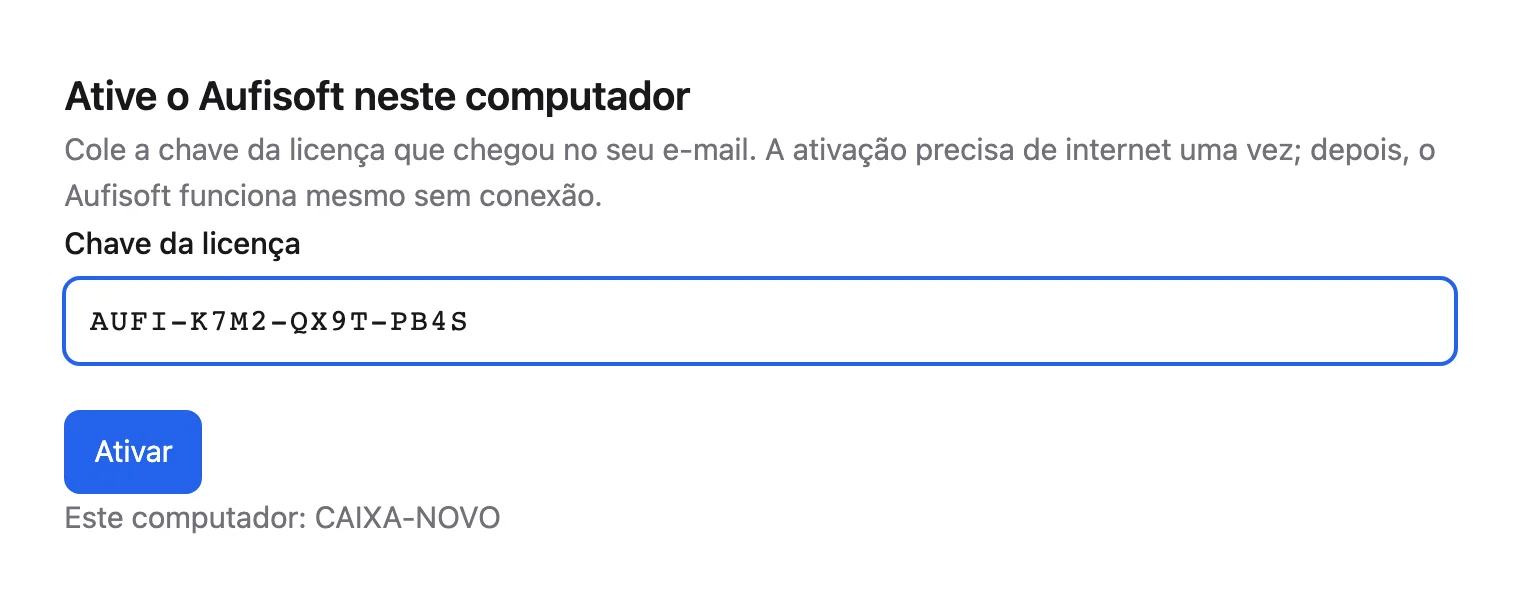
- Install Aufisoft on the new computer, paste the license key and click “Ativar” (Activate). The key is in the purchase e-mail and in your account, under My licenses.
- If Aufisoft asks for the restaurant's CNPJ, enter it and confirm. Done: the new computer is the main one.
The old computer is locked once deactivated.
2. The old computer broke, was formatted or stolen
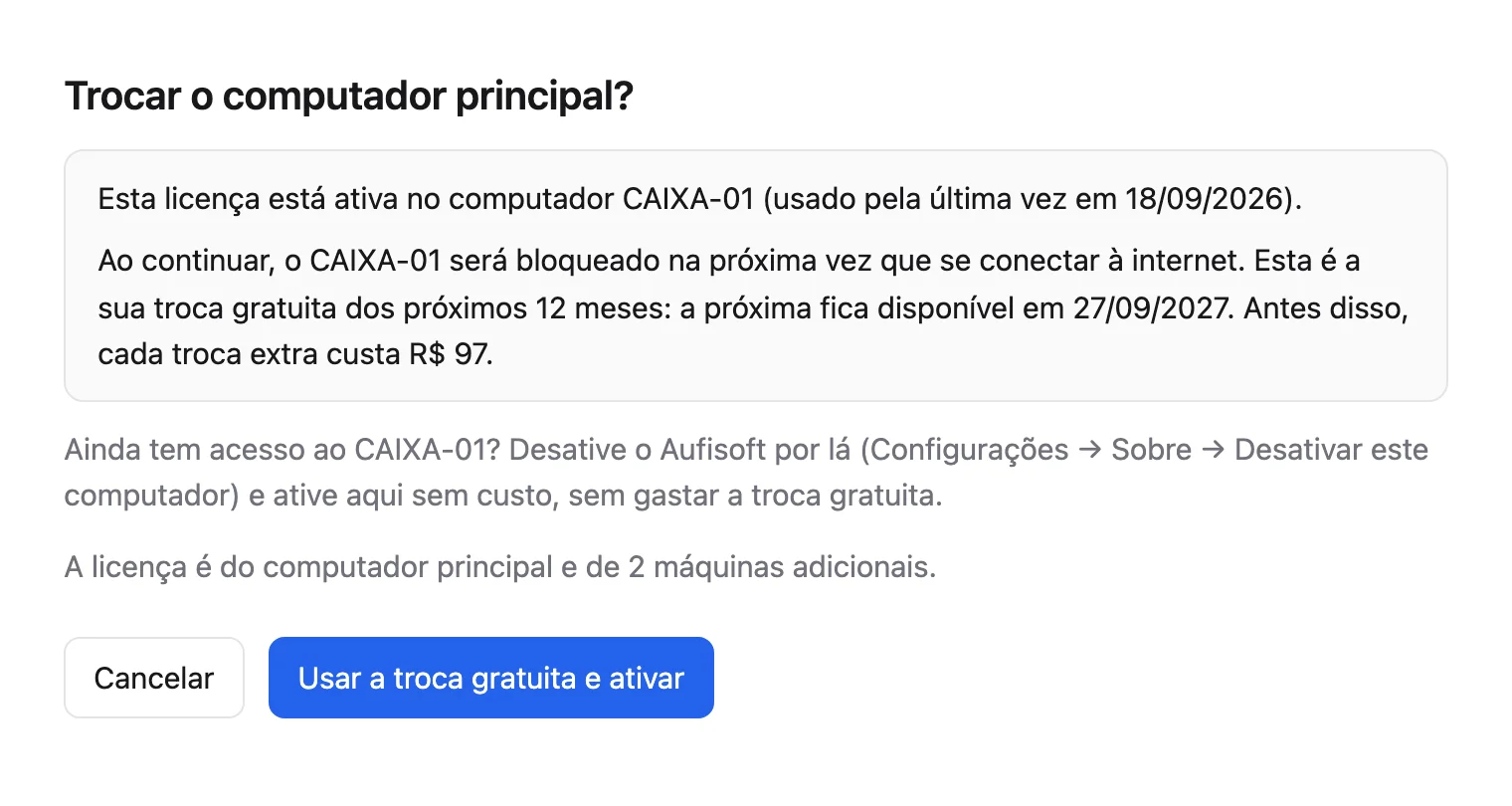
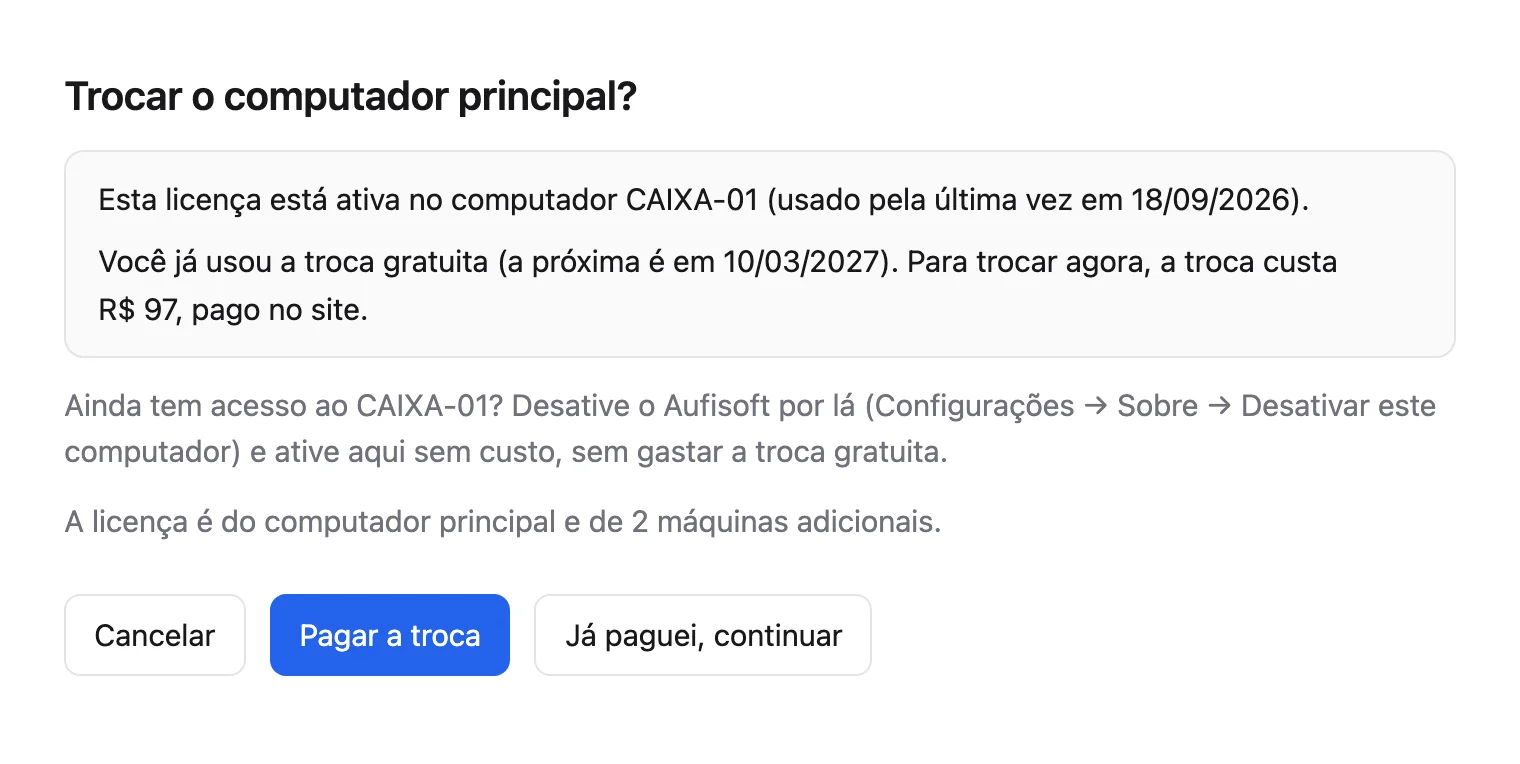
Activate straight on the new computer, with the key. Aufisoft shows “Trocar o computador principal?” (Replace the main computer?), the computer being replaced and what the replacement costs.
This is a replacement: one at no cost every 12 months, counted from the last one at no cost, and R$97 for each extra one. The replacement at no cost does not add up.
With the replacement at no cost available, confirm it on that same screen.
If it was already used, click “Pagar a troca” (Pay for the replacement). The payment opens in the browser, by PIX or card. Once paid, go back to Aufisoft and click “Já paguei, continuar” (I've paid, continue).
The old computer is locked the next time it connects to the internet.
Formatting the computer without deactivating it first also counts as a replacement.
3. Theft or hardware failure with the replacement at no cost already used
Write to contact@aufisoft.com telling what happened and send the proof: the police report (boletim de ocorrência) for theft or robbery, or the report or service order from the repair shop for a hardware failure. With the proof, support releases the replacement without charging.
In your account, under My licenses, you see the active computer, the replacement balance and the computer history.